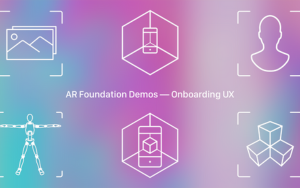
AR Foundations is a powerful framework used to build augmented reality (AR) applications that work seamlessly across multiple devices and platforms. It provides a unified set of tools and APIs that simplify the development process by abstracting the complexities of different AR hardware and software environments. With AR Foundations, developers can create interactive experiences that blend digital content with the real world using features like motion tracking, environmental understanding, and light estimation. It supports key AR functionalities such as plane detection, image tracking, and object placement, enabling rich, context-aware applications. Often integrated with game engines like Unity, AR Foundations helps developers rapidly prototype and deploy AR apps on devices like smartphones, tablets, and AR glasses, making it a popular choice for creating immersive and engaging AR experiences.
AR Foundations is a powerful framework used to build augmented reality (AR) applications that work seamlessly across multiple devices and platforms. It provides a unified set of tools and APIs that simplify the development process by abstracting the complexities of different AR hardware and software environments. With AR Foundations, developers can create interactive experiences that blend digital content with the real world using features like motion tracking, environmental understanding, and light estimation. It supports key AR functionalities such as plane detection, image tracking, and object placement, enabling rich, context-aware applications. Often integrated with game engines like Unity, AR Foundations helps developers rapidly prototype and deploy AR apps on devices like smartphones, tablets, and AR glasses, making it a popular choice for creating immersive and engaging AR experiences.
1. Introduction to AR Foundations
Overview of AR technology and platforms
Benefits of using AR Foundations for cross-platform AR development
2. Setting Up AR Foundations in Unity
Installing required packages and dependencies
Configuring Unity for AR development
3. Device and Platform Support
Supported platforms: iOS (ARKit), Android (ARCore), and others
Handling platform-specific features and limitations
4. Motion Tracking and Pose Estimation
Understanding device tracking and camera movement
Implementing stable and accurate motion tracking
5. Environmental Understanding
Plane detection and tracking (horizontal, vertical, arbitrary)
Point clouds and feature points visualization
6. Anchors and Object Placement
Placing and anchoring virtual objects in real-world space
Managing anchors for persistent AR content
7. Image and Object Tracking
Detecting and tracking 2D images and 3D objects in the environment
Using tracked images to trigger AR experiences
8. Light Estimation
Adapting virtual lighting to match real-world lighting conditions
Enhancing realism through dynamic light adjustments
9. User Interaction in AR
Gesture and touch input handling
Interacting with virtual objects realistically
10. Performance Optimization and Best Practices
Optimizing AR apps for smooth performance on mobile devices
Reducing battery consumption and resource usage
11. Debugging and Testing AR Applications
Tools and techniques for testing on real devices
Debugging common AR issues
12. Deployment and Publishing
Building and deploying AR apps on iOS and Android stores
Compliance and platform-specific requirements
What is AR Foundations?
AR Foundations is a cross-platform framework by Unity that enables developers to build augmented reality (AR) applications supporting both ARKit (iOS) and ARCore (Android) with a unified API.
Which platforms does AR Foundations support? Answer:
It supports major AR platforms, primarily Apple’s ARKit for iOS devices and Google’s ARCore for Android devices.
AR Foundations is a powerful framework used to build augmented reality (AR) applications that work seamlessly across multiple devices and platforms. It provides a unified set of tools and APIs that simplify the development process by abstracting the complexities of different AR hardware and software environments. With AR Foundations, developers can create interactive experiences that blend digital content with the real world using features like motion tracking, environmental understanding, and light estimation. It supports key AR functionalities such as plane detection, image tracking, and object placement, enabling rich, context-aware applications. Often integrated with game engines like Unity, AR Foundations helps developers rapidly prototype and deploy AR apps on devices like smartphones, tablets, and AR glasses, making it a popular choice for creating immersive and engaging AR experiences.
1. Introduction to AR Foundations
Overview of AR technology and platforms
Benefits of using AR Foundations for cross-platform AR development
2. Setting Up AR Foundations in Unity
Installing required packages and dependencies
Configuring Unity for AR development
3. Device and Platform Support
Supported platforms: iOS (ARKit), Android (ARCore), and others
Handling platform-specific features and limitations
4. Motion Tracking and Pose Estimation
Understanding device tracking and camera movement
Implementing stable and accurate motion tracking
5. Environmental Understanding
Plane detection and tracking (horizontal, vertical, arbitrary)
Point clouds and feature points visualization
6. Anchors and Object Placement
Placing and anchoring virtual objects in real-world space
Managing anchors for persistent AR content
7. Image and Object Tracking
Detecting and tracking 2D images and 3D objects in the environment
Using tracked images to trigger AR experiences
8. Light Estimation
Adapting virtual lighting to match real-world lighting conditions
Enhancing realism through dynamic light adjustments
9. User Interaction in AR
Gesture and touch input handling
Interacting with virtual objects realistically
10. Performance Optimization and Best Practices
Optimizing AR apps for smooth performance on mobile devices
Reducing battery consumption and resource usage
11. Debugging and Testing AR Applications
Tools and techniques for testing on real devices
Debugging common AR issues
12. Deployment and Publishing
Building and deploying AR apps on iOS and Android stores
Compliance and platform-specific requirements
What is AR Foundations?
AR Foundations is a cross-platform framework by Unity that enables developers to build augmented reality (AR) applications supporting both ARKit (iOS) and ARCore (Android) with a unified API.
Which platforms does AR Foundations support? Answer:
It supports major AR platforms, primarily Apple’s ARKit for iOS devices and Google’s ARCore for Android devices.
AR Foundations is a cross-platform framework by Unity that enables developers to build augmented reality (AR) applications supporting both ARKit (iOS) and ARCore (Android) with a unified API.
It supports major AR platforms, primarily Apple’s ARKit for iOS devices and Google’s ARCore for Android devices.